DeFi Vaults on Bitcoin
The SUBFROST APP is currently in development and its interface is subject to change.
Vaults provide automated DeFi strategies to earn yield on your Bitcoin and other supported tokens. Deposit your assets, and the vault handles the rest.
What Are Vaults?
DeFi vaults are automated yield strategies that are highly popular on other blockchains, but were not possible on Bitcoin until today.
Instead of manually:
- Providing liquidity to pools
- Harvesting rewards
- Rebalancing positions
- Compounding earnings
...vaults do all of this for you. You deposit, the vault works, you earn.
Available Vaults
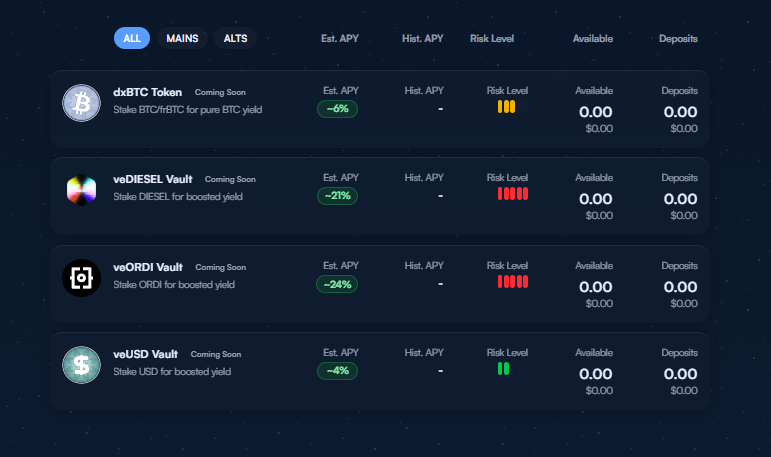
All vaults are currently in development. The vaults listed below will be released at different times throughout 2026 (planned).
Planned Vaults:
- FIRE - Olympus-insipired vault for DIESEL/frBTC LP
- dxBTC — Earn yield on BTC and frBTC
- veUSD — Earn yield on USD/BTC LP
How Vaults Generate Yield
Vaults earn yield through multiple common sources:
- Trading fees — A portion of swap fees from associated liquidity pools
- Rewards — Protocol incentives and external subsidies
- Auto-compounding — A portion of rewards is automatically reinvested
Each vault will also have an additional unique component. For example, our Bitcoin vault receives premiums from the Bitcoin Futures Market!
Check each vault's "Strategies" tab for details.
How to Deposit
Step 1: Choose a Vault
Browse available vaults using filters:
- All / Mains / Alts
- Sort by: Estimated APY, Historical APY, Risk Level, Available, Deposits
Step 2: Select Input Token and Amount
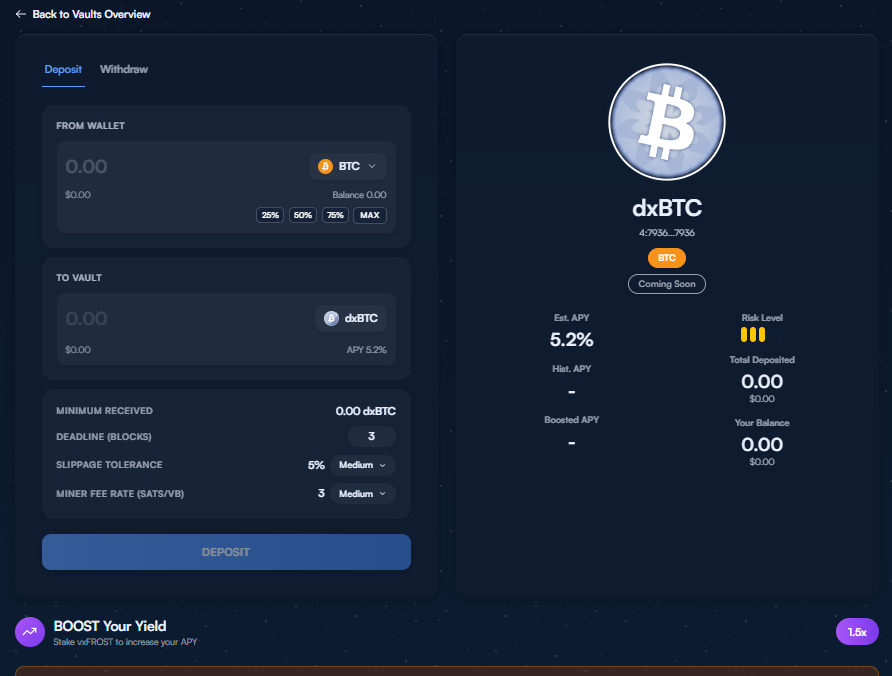
Click on a vault to open the detail view. Select your input token from the dropdown.
Enter how much you want to deposit. Use quick-select buttons:
- 25% / 50% / 75% / MAX
Step 3: Customize Settings & Review
Before confirming, you'll see:
- Minimum received — Guaranteed minimum after slippage
- Deadline (blocks) — Number of blocks before the quote expires
- Slippage tolerance — Maximum acceptable price movement
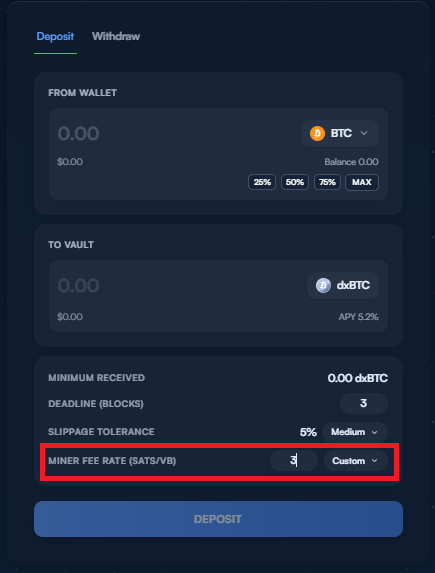
- Miner fee rate — Network fee for the transaction
Step 4: Confirm Deposit
Click "Deposit" and sign the transaction with your wallet. You'll receive vault tokens representing your position.
How to Withdraw
Most vaults have no lockup period—withdraw your funds whenever you need them.
Step 1: Go to Withdraw Tab
In the vault detail view, switch to the Withdraw tab.
Step 2: Select Your Position
Select the vault position you want to redeem.
Step 3: Confirm Withdrawal
Sign the transaction. Your original tokens (plus any earned yield) return to your wallet.
Yield Boosting
Some vaults support yield boosting. For example, by staking vxFUEL (in development), you can increase your yield multiplier.
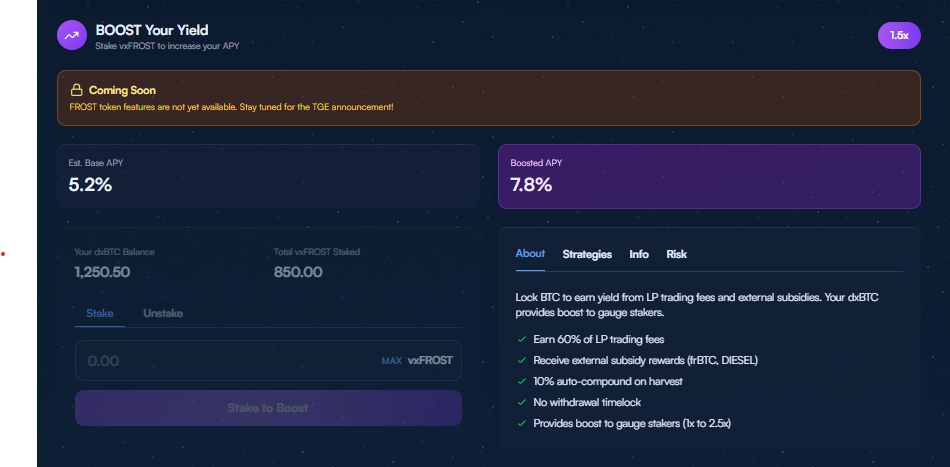
Check each vault's detail page to see if boosting is available and your current boost multiplier.
Fee Structure
| Fee Type | Rate |
|---|---|
| Management Fee | 0.2% |
| Performance Fee | 10% of yield |
| Withdrawal Fee | 0% (only network fees) |
| Entry Fee | 0% (only network fees) |
Understanding Risk
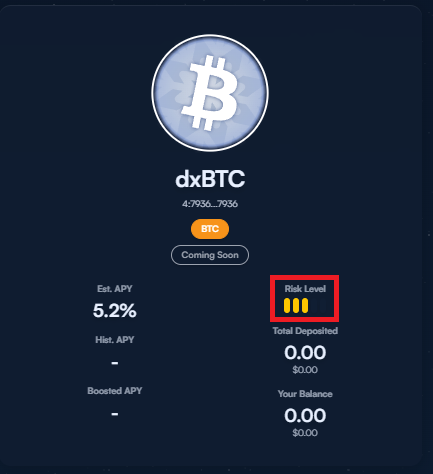
Each vault displays a risk indicator. Higher potential yield typically results in higher risk.
These levels are relative to our Bitcoin vault (3 bars), where less volatile strategies will be less than 3, and more volatile strategies will be above 3.
Risk Categories
| Risk Type | Description |
|---|---|
| Strategy | The yield strategy may underperform |
| Market | Asset prices can decline |
| Liquidity | Withdrawals may be delayed in extreme conditions |
Vault Information Tabs
Each vault detail page includes information tabs:
- About — What the vault does in plain language
- Strategies — How yield is generated
- Info — Technical details and contract info
- Risk — Detailed risk breakdown

Tips
- Diversify across multiple vaults to spread risk
- Start small to understand how a vault works before committing more
- Monitor performance — yields change over time
- Read the strategy — understand what you're investing in