BTCFi Swap
The SUBFROST APP is currently in development and its interface is subject to change.
The Swap feature lets you trade between supported assets in a single transaction, settled directly on Bitcoin L1. No bridges, no wrapped tokens to manage manually—just straightforward trading.
Highlights (some features in development):
- Single-transaction swaps settled on Bitcoin L1
- Automatic routing for best rates
- Cross-BTCFi support for Alkanes & BRC20s
- Cross-chain support for USDT, SOL, ZEC, and more
- Direct swaps to-and-from Native BTC
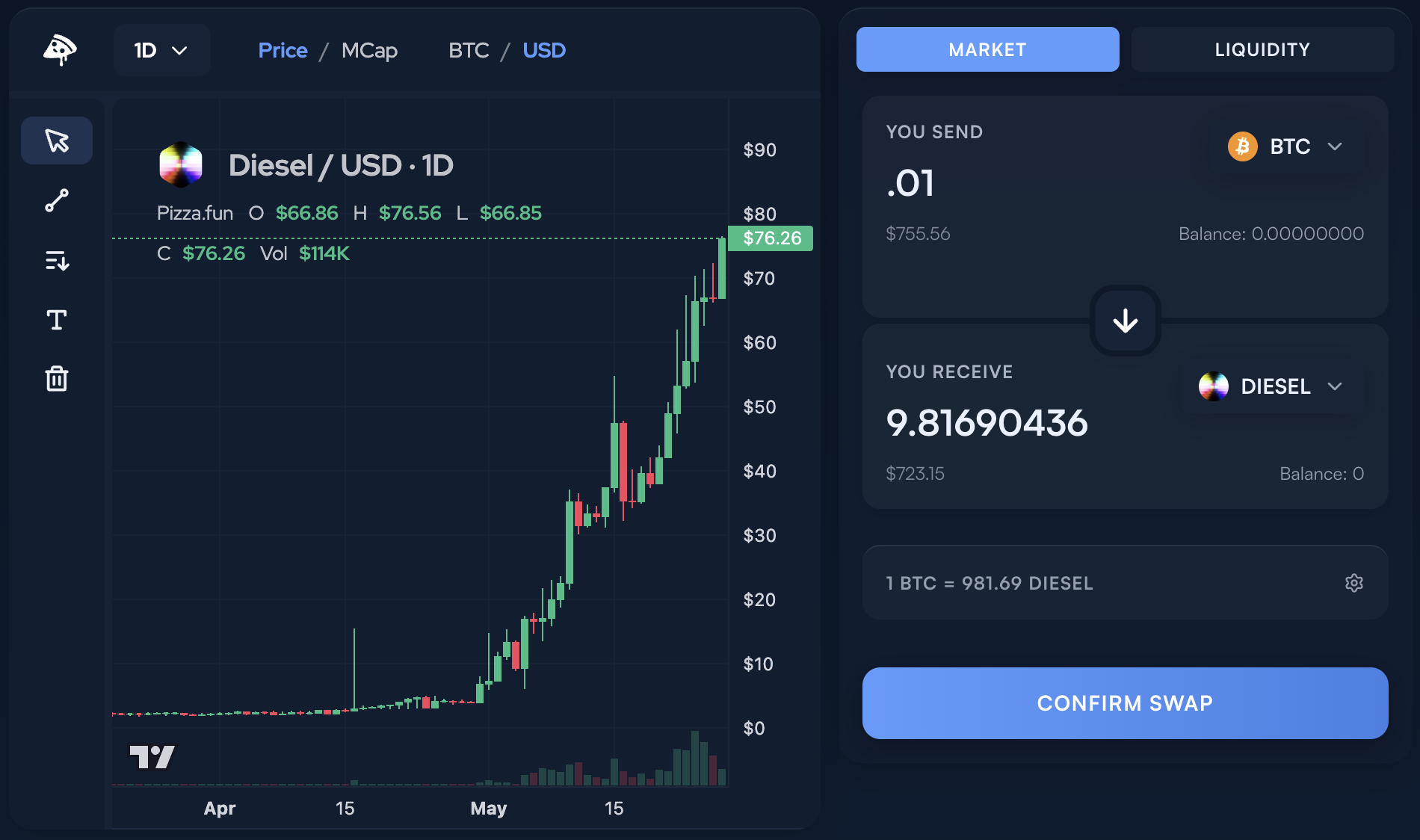
How to Swap
Step 1: Select Your Tokens
Click the token selector to choose what you want to swap from (You Send) and what you want to receive (You Receive).
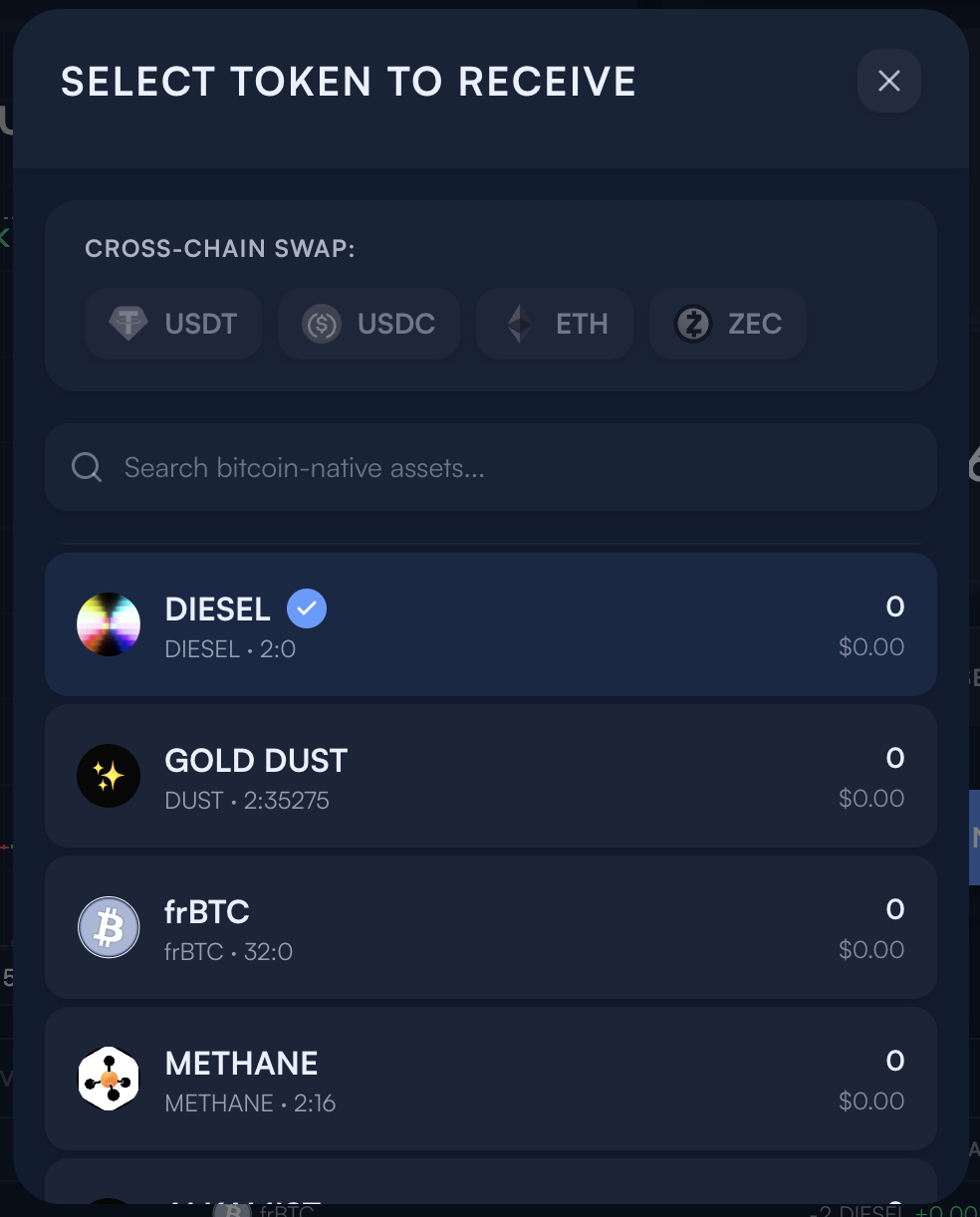
Step 2: Enter Amount
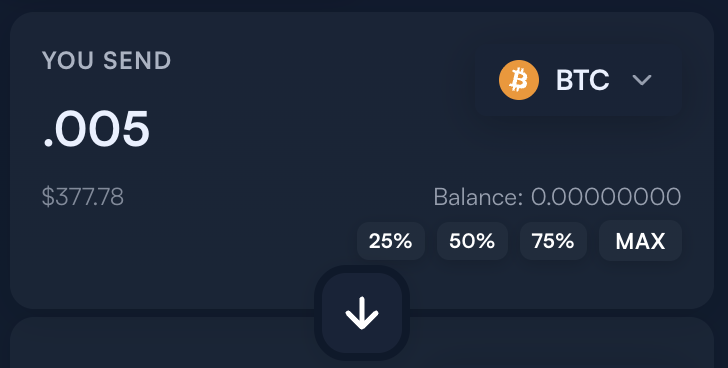
Type the amount you want to swap. Use the quick-select buttons for convenience:
- 25% / 50% / 75% / Max of your balance
The balance bar shows your usage with color-coded feedback.
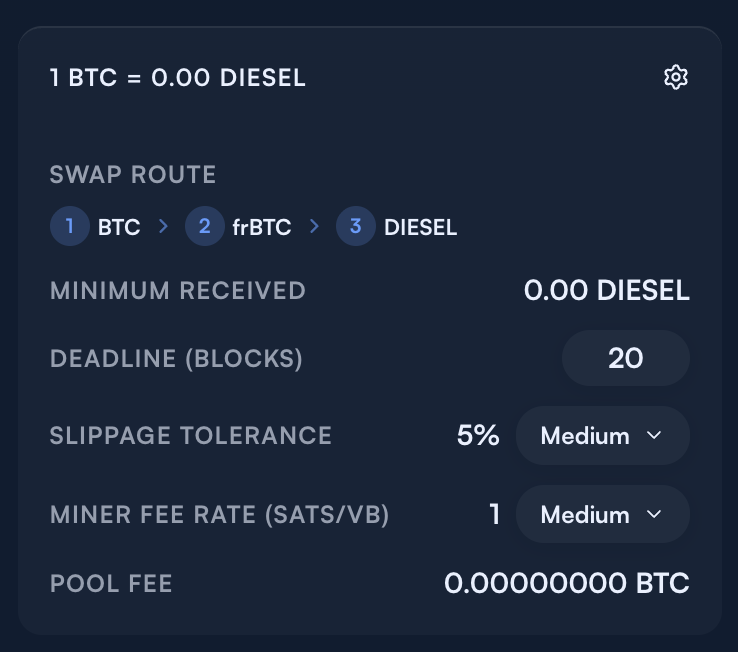
Step 3: Customize Settings & Review
Before confirming, you'll see:
- Exchange rate — How much you'll receive per unit
- Swap route — The path your swap takes (may show intermediary tokens)
- Minimum received — Guaranteed minimum after slippage
- Deadline (blocks) — Number of blocks before the quote expires
- Slippage tolerance — Maximum acceptable price movement
- Miner fee rate — Network fee for the transaction
Step 4: Confirm & Execute
Click "Swap" to initiate the transaction. You'll be prompted to sign with your connected wallet.
Swap Routes
The AMM automatically routes your swap for the best rate:
| Route Type | Description |
|---|---|
| Direct | Token A ↔ Token B (both in same pool) |
| Multi-hop | Token A → Bridge Token → Token B |
| Wrap/Unwrap | BTC ↔ frBTC (1:1 conversion) |
Direct BTC Swaps
When swapping BTC to another token, the app first wraps your BTC to frBTC, then swaps to your target token. This happens atomically without the user having to manually wrap their BTC. The wrapping process is abstracted away completely.
When swapping to BTC, the reverse happens—your token swaps to frBTC, then unwraps to native BTC automatically. There is a 3-block confirmation period (safety mechanism) before the SUBFROST protocol sends the unwrapped BTC.
Cross-Chain Swaps
For cross-chain tokens (USDT, USDC, ETH, SOL, ZEC), the interface guides you through a simple bridge process:
- User Sends — Waiting for your deposit
- Confirmation — Confirming on source chain
- Swap execution — Converting & swapping
- SUBFROST Sends — User receives funds
- Complete — Funds confirmed
This is all done automatically once the user performs step 1.
Liquidity Pools
Switch to the Liquidity tab to provide or remove liquidity:
Providing Liquidity
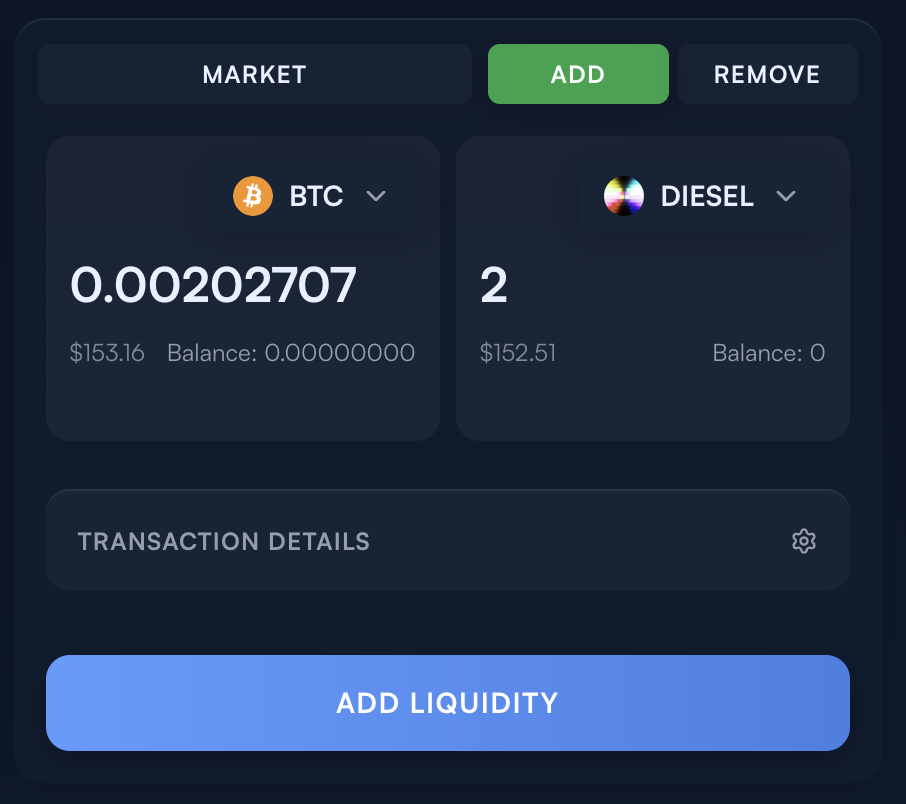
- Select the Add tab
- Choose the token pair you want to provide
- Enter amounts for both tokens
- Click "Add Liquidity" and sign the transaction
Liquidity providers earn fees from trades in their pool.
Note: For BTC pools, user BTC is atomically wrapped to frBTC.
Removing Liquidity
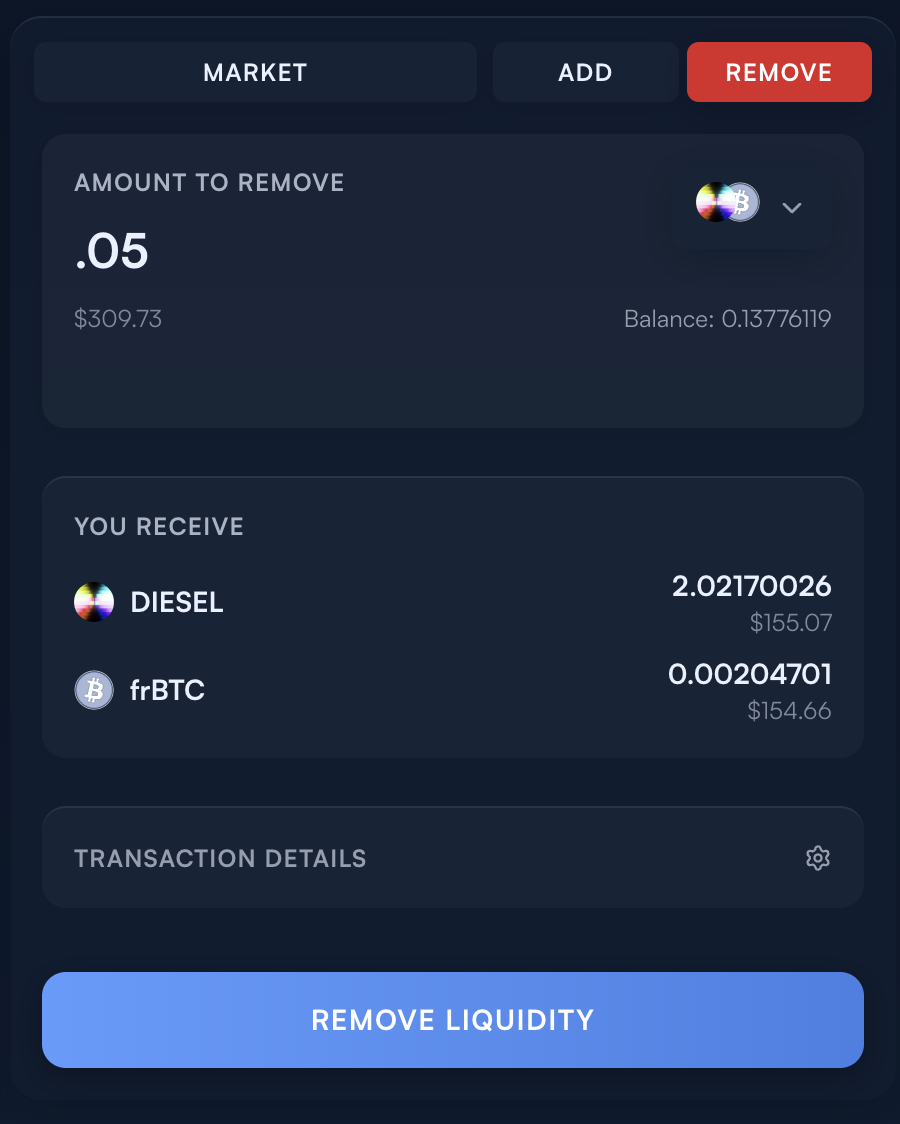
Switch to the Remove tab to withdraw your liquidity position and reclaim your tokens.
Tips
- Start small if you're new to the platform, to understand the flow
- Watch price impact on larger trades; splitting into multiple swaps may get better rates